How to play a card in HealingMatgo and the card slam effect (what changed from the old card-smash)
If you are new to HealingMatgo, you may wonder, “How do I play a card?” And if you played an older version, you may be looking for the “card-smash by holding the right mouse button” and wondering where it went. This article covers both.
1. You play a card with the left mouse button
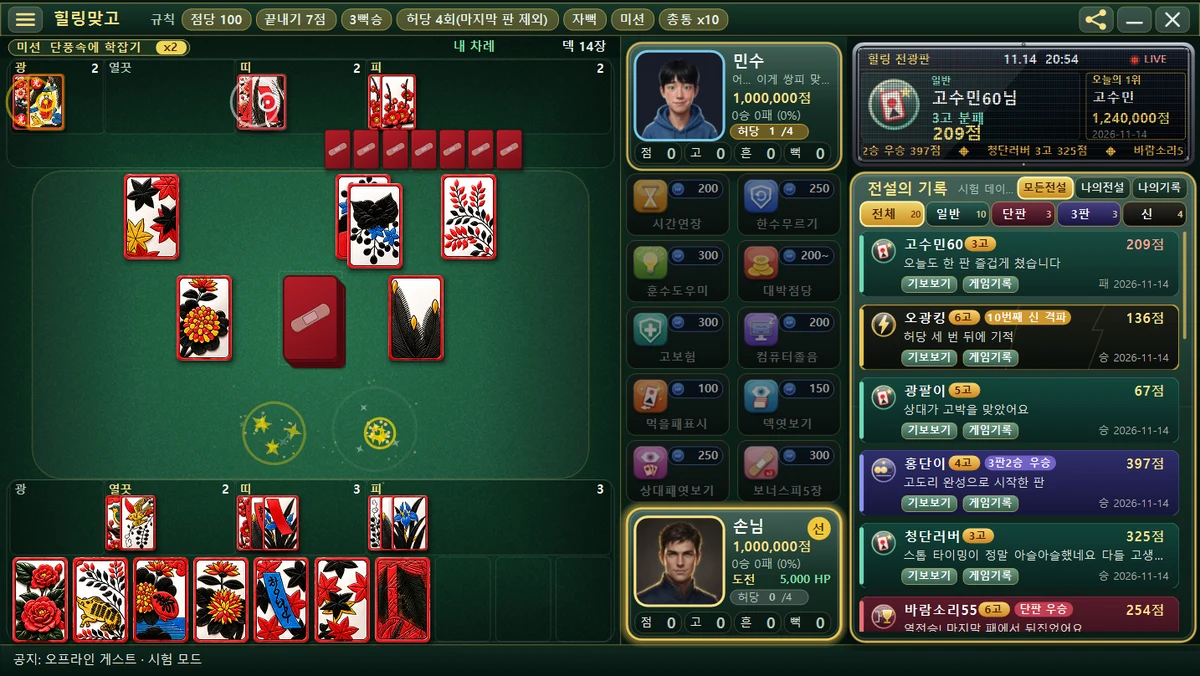
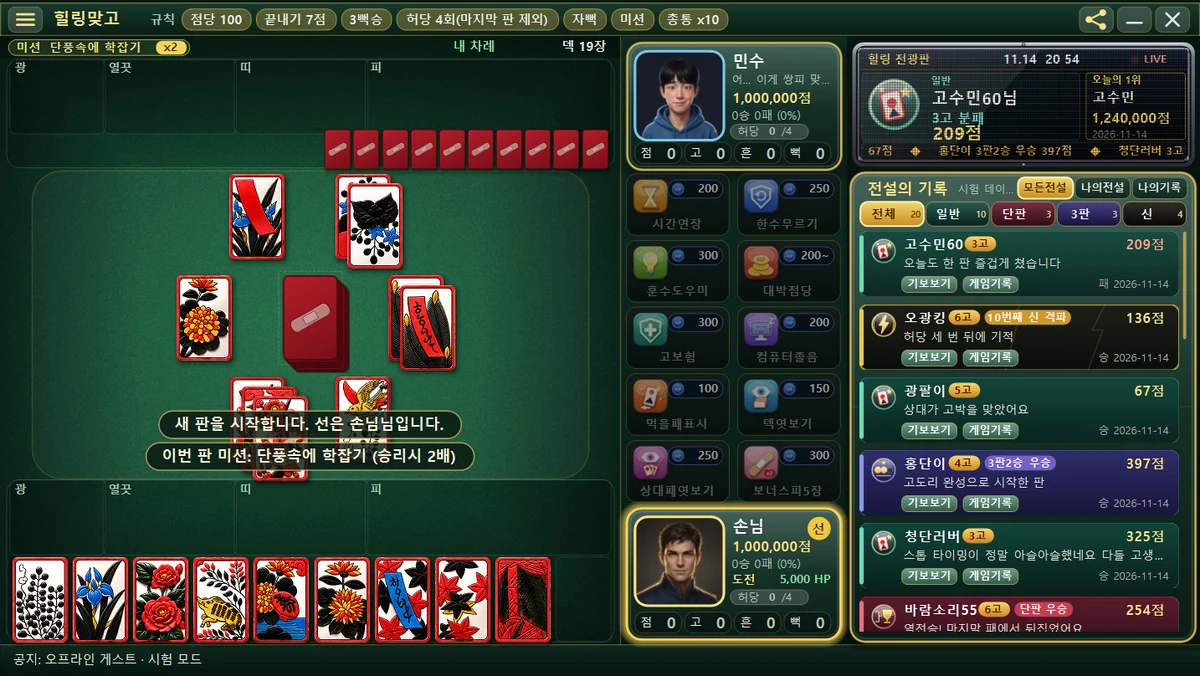
- When it is your turn, Your turn is shown at the top of the board.
- Just click with the left mouse button the card you want to play from your hand below.
- You cannot play cards with the keyboard. The keyboard is used only in popups such as Go/Stop and Yes/No.
2. The card slam is a ‘visual effect’, not a ‘control’
Older versions had a ‘card-smash’ power: you held the right mouse button to slam a card down hard. The new HealingMatgo does not have that feature. Nothing happens when you press the right button. Only the left mouse button is used.
Instead, when you capture a card on the table with the card you played, a scene of the card being slammed down with a thwack! plays automatically. This slam effect appears by itself whenever there is a card to capture, so you don’t need to put in any extra force. Think of it as the same satisfying feel with easier controls.
- Holding the right button (card-smash power): removed
- Playing a card: left click only (no keyboard)
- Card slam: an effect that plays automatically when you can capture
3. Choosing when there are two cards of the same month
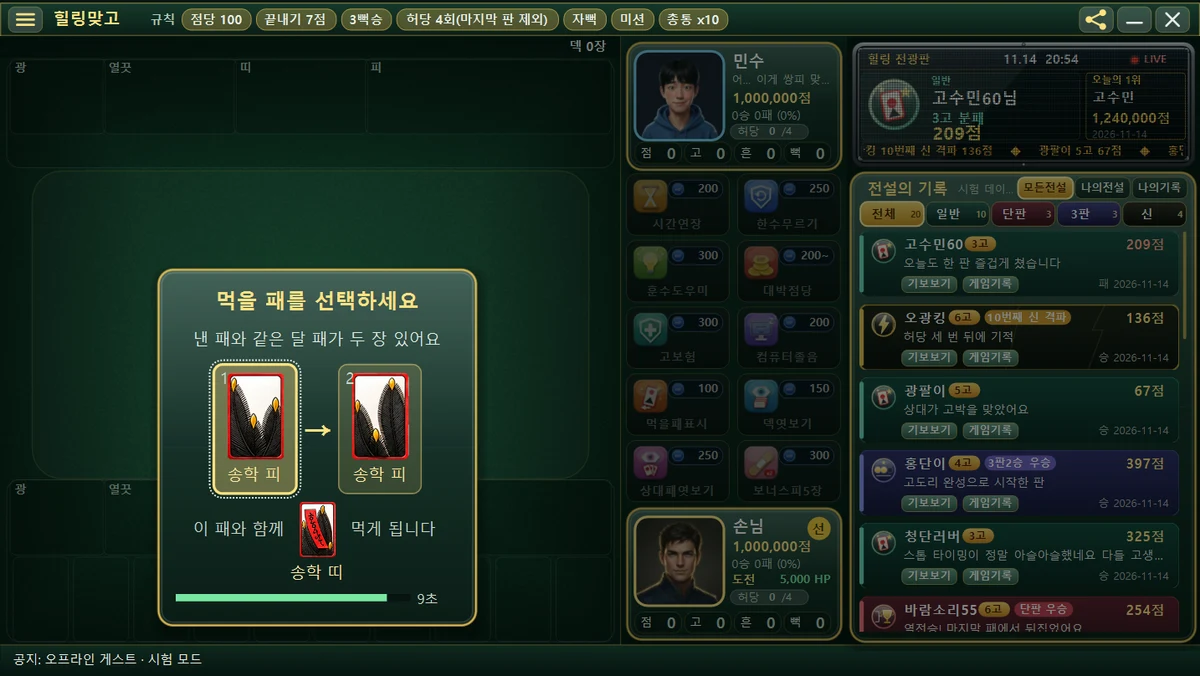
If there are two cards of the same month as the card you played on the table, a window opens for you to choose which one to capture. The screen shows the text “Choose a card to capture” with the candidate cards side by side, and below it shows the card you will capture along with it. The time-limit bar keeps shrinking, so choose without delay.
4. Other popups you may see
| Popup | What it does |
|---|---|
| Go/Stop | When your score reaches 7 pts or more, you choose whether to continue (Go) or end (Stop) |
| Shake | A ‘Yes/No’ choice when you hold 3 cards of the same month in your hand |
| Choose a card to capture | Pick one when there are two table cards of the same month |
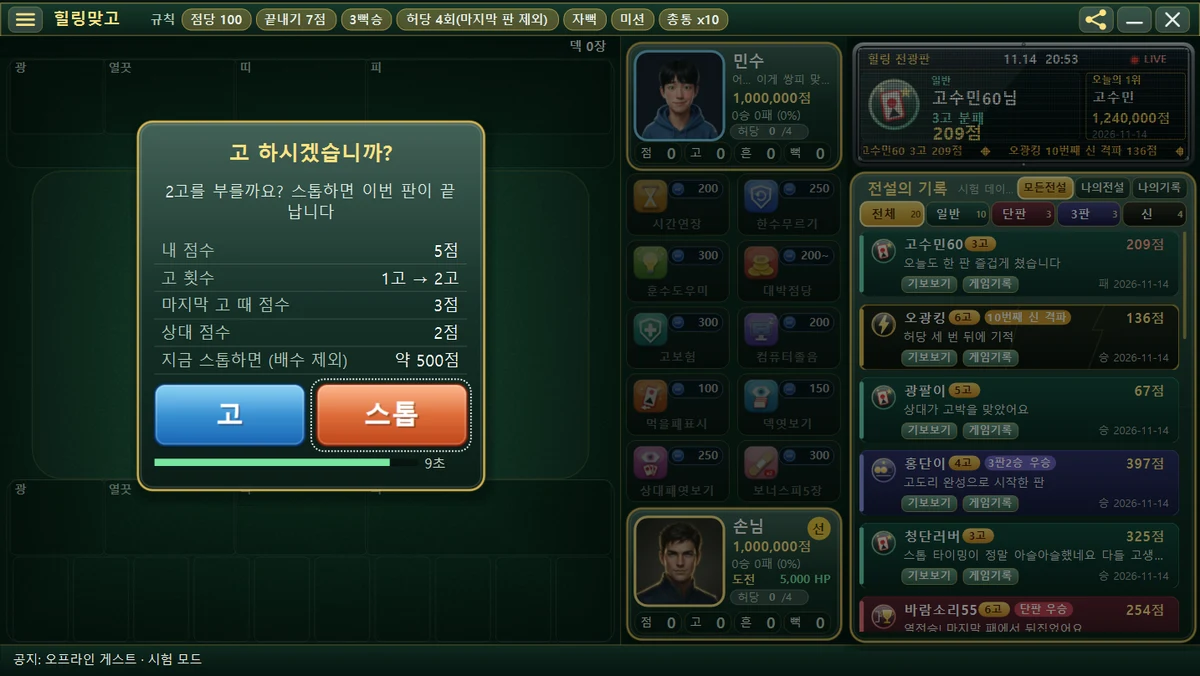
You can read the details of the controls in the Mouse and keyboard controls article, and how to read popups in the How to read in-round popups article.
5. The flow of a round for first-time players
- When you press Start game, the cards are dealt and the message “Starting a new round.” appears in the message line. The mission for this round is also announced at this time.
- When the Your turn mark appears, left-click one card from your hand.
- If there is a card to capture, you take it with the card slam effect, and if there are two cards of the same month, a window opens for you to choose.
- When your score reaches the finish score (7 pts) or more, the game asks Go or Stop.
It’s okay if the controls feel unfamiliar. As long as you know how to click a card, the screen will guide you through the rest.