Undo Move item – Undo your last move and go back to the start of your turn

The items have changed from those in older versions of HealingMatgo. This post was newly rewritten based on the 10 items now in the game. When the game is updated, prices and effects may change.
 |
When you regret the move you just played, it’s an item that undoes both the card you played and the computer’s reply and takes you back to the start of your turn. |
At a glance
| Item | Details |
|---|---|
| Item name | Undo Move |
| HP price | 250 HP |
| When to use it | Your turn |
| Effect | Undo your last move and go back to the start of your turn (the card you played and the computer’s reply are undone too) |
| Duration | Rewind once (after the rewind, your turn begins again) |
| Number of uses | Once per round |
| Conditions for use | Logged in · Endless mode · HP or an owned copy |
| When you can’t use it | After Go/Stop, Shake, or Bomb, when no card has been played yet, and so on (see the table below) |
What kind of item is it?
In Hwatu you can’t take back a card once played, so there are moments when you think ‘Oh, I should have played a different card.’ Undo Move is an item for exactly that moment. If you use it on your turn, the round goes back to when your turn had just begun.
Rewinding undoes two moves at once: the card you played, and the card the computer answered with next. After rewinding, it looks as if your turn has just begun again.
Let’s look at the effect in detail
Let’s check with an example (calculated with the game engine)
This is a round where your turn has just begun. You played a Mar Ribbon. The cards you captured with that move were Mar Bright, Mar Ribbon, May Animal and May Junk, and then the cards the computer captured were Jun Animal and Jun Junk. We checked with the engine what happens if you use Undo Move when your turn comes around again.
| Category | Start (the beginning of your turn) | After two moves have passed | After using Undo Move |
|---|---|---|---|
| Your hand | 10 cards | 9 cards | 10 cards |
| Table card | 8 cards | 6 cards | 8 cards |
| Cards you captured | 0 cards | 4 cards | 0 cards |
| Cards the computer captured | 0 cards | 2 cards | 0 cards |
| Cards remaining in the deck | 20 cards | 18 cards | 20 cards |
The round after the undo was exactly the same as at the start. The hand, the table cards, the kinds of cards you had captured and even the order of the deck all came back identical, and the number of times Undo was used in this round was recorded as one.
- What gets restored: the positions of the cards, the order of the deck, the points and number of Go calls, the round’s state such as Shake and Ppeok, and whose turn it is.
- Because the order of the deck stays the same, if you play the same card again, the same deck card is flipped. That means you can replay knowing the deck card you’ve already seen.
- An undone move is not kept in the game record.
Not guaranteed. Depending on the kind of computer, it may play a different move after the rewind. Don’t expect it to play the same move again; look at the round with fresh eyes as if you were playing anew.
In a round where you used Undo Move, event HP rewards such as Jjok, Ttadak and Sweep are given only up to once per round for each kind of event. Rewards you’ve already received aren’t taken back just because you rewound.
How to use
Items can be used only after logging in. If you aren’t logged in, you’ll see the message ‘Available after logging in’.
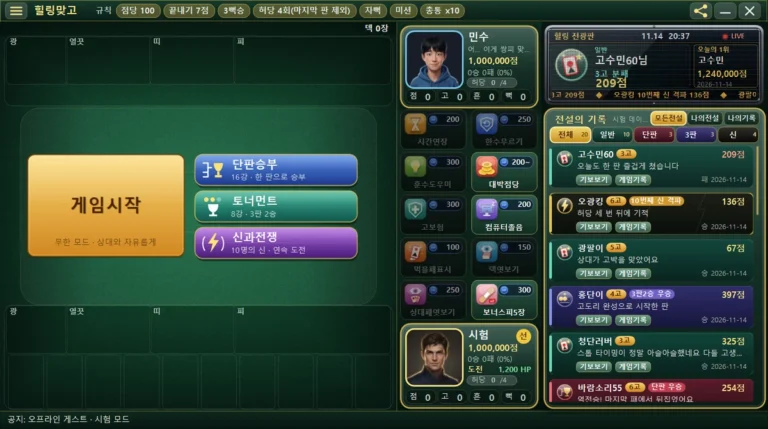
- Step 1 When it’s your turn and you need to play a card, tap the Undo Move picture on the item shelf. The item pictures are arranged in 2 columns and 5 rows. Hover over one with the mouse and a small tooltip shows its effect (or the reason you can’t use it).
- Step 2 The game pauses briefly, the screen dims, and an ‘Item’ description window opens. A large picture is on the left; the name, HP price and effect description are on the right.
- Step 3 Press [Use] and it takes effect right away. If you have an owned copy from a gift, it goes down by 1 (HP isn’t used); if you have none, the price is deducted from your HP.
- Step 4 When you can’t use it right now, [Use] is dimmed and the reason appears in red text (for example: Not enough HP, Can only be used on your turn).
- Step 5 If you’d rather not use it and just close the window, press [Close] (or the Esc key). The item and your HP stay as they were, and the game continues.
| Item | |
|
Undo Move 250 HP Undo your last move and go back to the start of your turn. The card you played and the computer’s reply are undone too. Once per round; not usable after Go/Stop, Shake, or Bomb. Owned N — no HP used / My HP ○○ → after use △△ |
| UseClose | |
The picture above shows the description window redrawn as text. ○○ and △△ show your own HP.
You can also use the keyboard: Enter or Space = press the selected button, Left/Right arrow keys or Tab = move between buttons.
When you press [Use], the game first checks ‘can I undo right now?’ and only charges you if it can. So you never lose HP when the item can’t be used.
When is a good time to use it?
- When you notice that the computer captured good cards because of the card you played, you can return the round to its earlier state and think again.
- Because it’s only once per round, you can also save it for a moment when the flow of the round seems likely to change a lot rather than a small slip.
- You can’t undo after Go/Stop, Shake, or Bomb. It’s best to decide whether to use it before making a big choice.
- There’s no guarantee that the result after rewinding will always be better.
Things to watch out for and limits
These are the conditions for use set by the game.
| In cases like these | Messages shown on the screen |
|---|---|
| When you aren’t logged in | Available after logging in |
| Rounds in modes other than Endless (Single Match, Tournament, War of the Gods) | Only usable in Endless mode |
| Items already used this round | Already used this round |
| When not to use it | Can only be used on your turn |
| Situations the engine says you can’t use it (see the table below) | A reason message that fits the situation |
| When another window (popup) is open | Can’t be used right now |
| When you don’t have enough HP (and no owned copy) | Not enough HP (250 HP needed) |
When you can’t use it, and what the screen says (decided by the game engine)
| Situation | Messages shown on the screen |
|---|---|
| When it isn’t your turn | You can only undo on your turn |
| While your played card is being processed (including choosing a table card, being asked Go or Stop, and being asked about Shake) | You can’t undo right now |
| When you haven’t played any move this round yet, and right after you’ve just undone once | No card has been played yet |
| When there was a Go/Stop after your previous turn (no matter who made it) | You can’t undo after Go or Stop |
| When there was a Bomb in the same stretch, or when Shake was declared (no matter who did it) | You can’t undo after a Shake or Bomb |
A move where you said you would not Shake isn’t a declaration, so it can be undone. Playing a Bonus Junk doesn’t use up your turn, so that point can become the rewind target.
It can only be used once per round. In a round where it’s already been used, it says ‘Already used this round’.
HP and the daily gift
Items are paid for with HP (Healing Points). The moment you press [Use], HP goes down by the price, and if you don’t have enough HP you can’t use it (your balance never goes negative). HP can be earned as a reward for winning a round or making a great hand.
Once a day, when you connect, you receive 1 item as a gift. It is 1 random item out of the 10 items. Even if you log in again the same day or restart the game, the gift is only once (the date is based on your own computer’s date).
An item received as a gift is shown next to its shelf picture as ×count. When you use that item, one owned copy is used first instead of HP, and HP doesn’t go down. If you have an owned copy you can use it even when you’re short of HP (the once-per-round limit still applies, though).
Frequently asked questions
All 10 items at a glance
Tap a name to go to that item’s post. All ten can be used now.
| Item | Price | When to use it | Effect in one line |
|---|---|---|---|
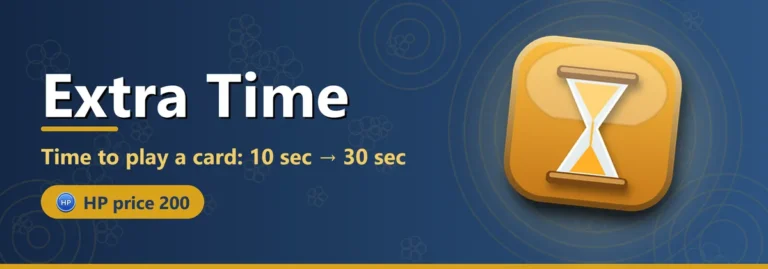
| 1. Extra Time | 200 HP | Your turn | Time to play a card: 10 sec → 30 sec |
| 2. Undo Move | 250 HP | Your turn | Rewinds two moves to the start of your turn |
| 3. Coach Hint | 300 HP | Your turn | Teacher Computer tells you the card to play and why |
| 4. Big Point Rate | 200 HP~ | Before the round starts | Greatly raises the point rate |
| 5. Go Insurance | 300 HP | Your turn | Lose after calling Go and the points are halved (rounded up) |
| 6. Sleepy Computer | 200 HP | Before the round starts | The computer plays the wrong card |
| 7. Match Highlight | 100 HP | Your turn | Cards you can capture glow |
| 8. Deck Peek | 150 HP | Your turn | Top card of the deck, 3 seconds |
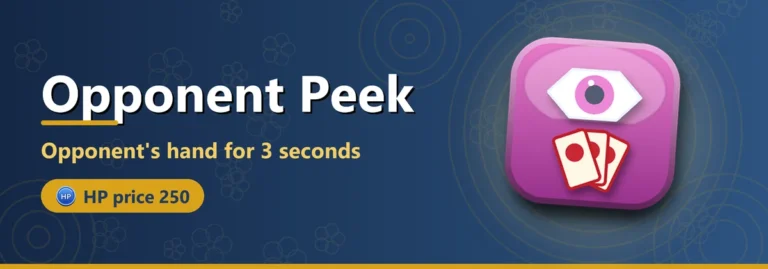
| 9. Opponent Peek | 250 HP | Your turn | Opponent’s hand, 3 seconds |
| 10. 5 Bonus Junk | 300 HP | Before the round starts | 5 more Bonus Junk (Double Junk) |
| « Previous: Extra Time | Next: Coach Hint » |
When you use an item, the opponent character may react with a short line. This speech bubble is just for atmosphere and has nothing to do with the item’s effect, and you can turn it off under ‘Opponent chat settings…’ in the ☰ menu. For details, see the post HealingMatgo, where you chat with your opponent.
Learn more
· See all game item posts
· HealingMatgo Hand Guide (if you’re curious about scoring and rules)
· Download the game → https://healingmatgo.com/download
Share this post
Tell a friend who’s curious about the items.
| Share on Naver | Share on Facebook | Share on X (Twitter) |