Go Insurance item – Lose after calling Go and the points are halved (rounded up)

The items have changed from those in older versions of HealingMatgo. This post was newly rewritten based on the 10 items now in the game. When the game is updated, prices and effects may change.
 |
It’s an insurance-like item: even if you lose after calling Go, the points you owe are halved (rounded up) and Go Penalty is waived. No effect if you win. |
At a glance
| Item | Details |
|---|---|
| Item name | Go Insurance |
| HP price | 300 HP |
| When to use it | Your turn |
| Effect | Even if you lose after calling Go, the points you owe are halved (rounded up) and Go Penalty is waived |
| Duration | This round (turns off when the round ends, and you have to use it again for the next round) |
| Number of uses | Once per round |
| Conditions for use | Logged in · Endless mode · HP or an owned copy |
| If you win | It has no effect |
What kind of item is it?
Go is a chance to raise your score, but after calling Go, losing is a heavier burden. If the player who called Go loses that round, it becomes a Go Penalty and the score is doubled. Go Insurance is an item that eases that burden.
If the computer wins after you called Go, the Go Penalty is skipped and the score with all the other multipliers applied is reduced to half (rounded up). The winning computer also takes only that same amount.
Let’s look at the effect in detail
Conditions where it applies (all must be met)
- You turned on Go Insurance this round.
- The round ended as an ordinary result.
- The computer won.
- You called Go at least once this round.
It doesn’t matter when you turn it on. Whether you turn it on before or after calling Go, it’s settled all at once when the round ends.
Let’s check with an example (calculated with the game engine)
This is based on a point rate of 100. Using the engine, we compared a round in which the computer won after you called Go, calculated without insurance and with Go Insurance turned on.
| Situation | Without insurance | Use Go Insurance | Points reduced |
|---|---|---|---|
| The computer won with Red Ribbons (three ribbons) + Go Penalty | 6 pts (settlement 600) | 2 pts (settlement 200) | 4 pts |
| The computer won with three Brights + Bright Penalty + Go Penalty | 12 pts (settlement 1,200) | 3 pts (settlement 300) | 9 pts |
| Won with three Brights + ten Junk + Bright Penalty, Junk Penalty and Go Penalty | 32 pts (settlement 3,200) | 8 pts (settlement 800) | 24 pts |
| Won with five Animals (one point) + Go Penalty | 2 pts (settlement 200) | 1 pt (settlement 100) | 1 pt |
| When you never called Go | 3 pts (settlement 300) | 3 pts (settlement 300) — not applied | 0 pts |
When the insurance doesn’t apply
- If you won or drew, there is no effect.
- If you never called Go, there is also no effect (it says ‘Insurance wasn’t used this round’).
- Special wins such as Chongtong and Whiff Win (including a 3-Ppeok win) are calculated with fixed multipliers, so they aren’t covered by the insurance.
- It has no effect on the deduction you incur when you leave a game midway.
- If the last player to call Go was the computer so there was no Go Penalty in the round, the Go Penalty waiver doesn’t apply and only the halving is applied.
This is how it looks on the screen
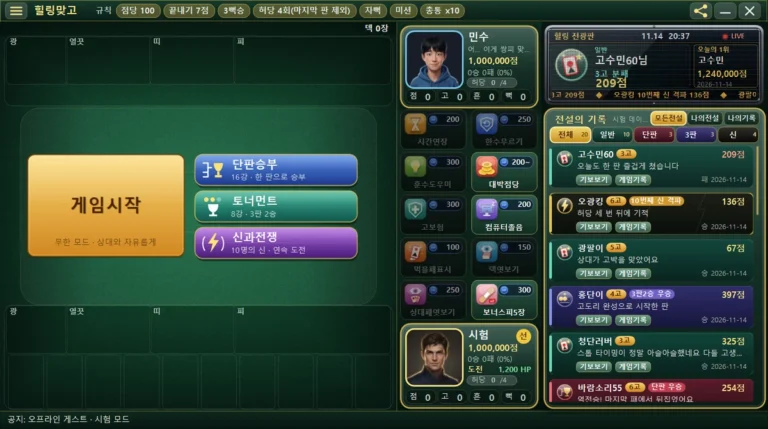
- When you use it, it says ‘Go Insurance on! Even if you call Go and lose, the points are halved’, and a ‘Go Insurance on’ badge appears at the top of the board and a shield mark on the item shelf.
- On the result window at the end of the round, a line ‘Go Insurance -N pts (Go Penalty waived, halved)’ (N is the points reduced) appears with the score, along with a message ‘Go Insurance saved you N pts’.
- In the game record of a round where insurance was used, the use of Go Insurance is also recorded in the rule information.
How to use
Items can be used only after logging in. If you aren’t logged in, you’ll see the message ‘Available after logging in’.
- Step 1 When it’s your turn and you need to play a card, tap the Go Insurance picture on the item shelf. The item pictures are arranged in 2 columns and 5 rows. Hover over one with the mouse and a small tooltip shows its effect (or the reason you can’t use it).
- Step 2 The game pauses briefly, the screen dims, and an ‘Item’ description window opens. A large picture is on the left; the name, HP price and effect description are on the right.
- Step 3 Press [Use] and it takes effect right away. If you have an owned copy from a gift, it goes down by 1 (HP isn’t used); if you have none, the price is deducted from your HP.
- Step 4 When you can’t use it right now, [Use] is dimmed and the reason appears in red text (for example: Not enough HP, Can only be used on your turn).
- Step 5 If you’d rather not use it and just close the window, press [Close] (or the Esc key). The item and your HP stay as they were, and the game continues.
| Item | |
|
Go Insurance 300 HP Even if you lose after calling Go, the points you owe are halved (rounded up) and Go Penalty is waived. No effect if you win. Owned N — no HP used / My HP ○○ → after use △△ |
| UseClose | |
The picture above shows the description window redrawn as text. ○○ and △△ show your own HP.
You can also use the keyboard: Enter or Space = press the selected button, Left/Right arrow keys or Tab = move between buttons.
When is a good time to use it?
- You can try it in a round where you’re unsure about calling Go and want a safety net so that even if you lose, the burden is smaller.
- You can also think of Big Point Rate as a way to ease the burden when the stakes of a round have grown, such as a round with a raised point rate.
- If you don’t call Go, or if you win, it has no effect, so it suits times when you might call Go. HP that you spent isn’t returned even if there was no effect.
- Having insurance doesn’t make Go more advantageous. It only softens how much the score drops.
Things to watch out for and limits
These are the conditions for use set by the game.
| In cases like these | Messages shown on the screen |
|---|---|
| When you aren’t logged in | Available after logging in |
| Rounds in modes other than Endless (Single Match, Tournament, War of the Gods) | Only usable in Endless mode |
| Items already used this round | Already used this round |
| When not to use it | Can only be used on your turn |
| When another window (popup) is open | Can’t be used right now |
| When you don’t have enough HP (and no owned copy) | Not enough HP (300 HP needed) |
It can only be used on your turn, once per round. It applies to this round only and turns off automatically for the next round.
HP and the daily gift
Items are paid for with HP (Healing Points). The moment you press [Use], HP goes down by the price, and if you don’t have enough HP you can’t use it (your balance never goes negative). HP can be earned as a reward for winning a round or making a great hand.
Once a day, when you connect, you receive 1 item as a gift. It is 1 random item out of the 10 items. Even if you log in again the same day or restart the game, the gift is only once (the date is based on your own computer’s date).
An item received as a gift is shown next to its shelf picture as ×count. When you use that item, one owned copy is used first instead of HP, and HP doesn’t go down. If you have an owned copy you can use it even when you’re short of HP (the once-per-round limit still applies, though).
Frequently asked questions
All 10 items at a glance
Tap a name to go to that item’s post. All ten can be used now.
| Item | Price | When to use it | Effect in one line |
|---|---|---|---|
| 1. Extra Time | 200 HP | Your turn | Time to play a card: 10 sec → 30 sec |
| 2. Undo Move | 250 HP | Your turn | Rewinds two moves to the start of your turn |
| 3. Coach Hint | 300 HP | Your turn | Teacher Computer tells you the card to play and why |
| 4. Big Point Rate | 200 HP~ | Before the round starts | Greatly raises the point rate |
| 5. Go Insurance | 300 HP | Your turn | Lose after calling Go and the points are halved (rounded up) |
| 6. Sleepy Computer | 200 HP | Before the round starts | The computer plays the wrong card |
| 7. Match Highlight | 100 HP | Your turn | Cards you can capture glow |
| 8. Deck Peek | 150 HP | Your turn | Top card of the deck, 3 seconds |
| 9. Opponent Peek | 250 HP | Your turn | Opponent’s hand, 3 seconds |
| 10. 5 Bonus Junk | 300 HP | Before the round starts | 5 more Bonus Junk (Double Junk) |
| « Previous: Big Point Rate | Next: Sleepy Computer » |
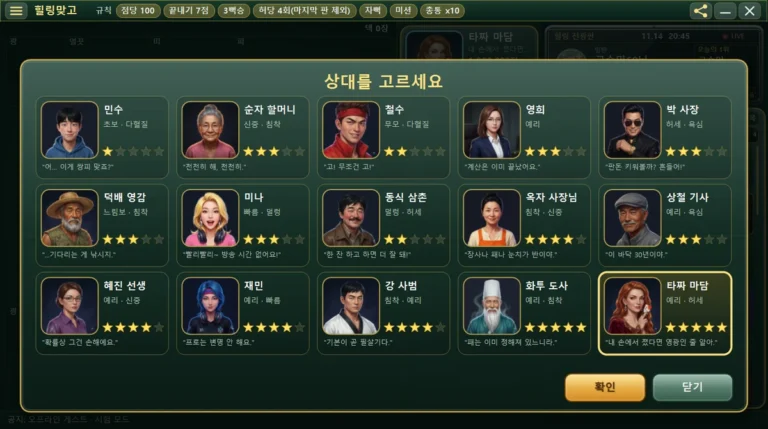
When you use an item, the opponent character may react with a short line. This speech bubble is just for atmosphere and has nothing to do with the item’s effect, and you can turn it off under ‘Opponent chat settings…’ in the ☰ menu. For details, see the post HealingMatgo, where you chat with your opponent.
Learn more
· See all game item posts
· HealingMatgo Hand Guide (if you’re curious about scoring and rules)
· Download the game → https://healingmatgo.com/download
Share this post
Tell a friend who’s curious about the items.
| Share on Naver | Share on Facebook | Share on X (Twitter) |