How to Choose Your Character in HealingMatgo: the 4 Types, the Recommended Mark and Voices
In HealingMatgo, besides your opponent you can also choose a character that represents you. Four are available, and your face appears with it on the game screen. This article explains the four looks, how to choose, and the recommendation guide.
1. Four characters of your own
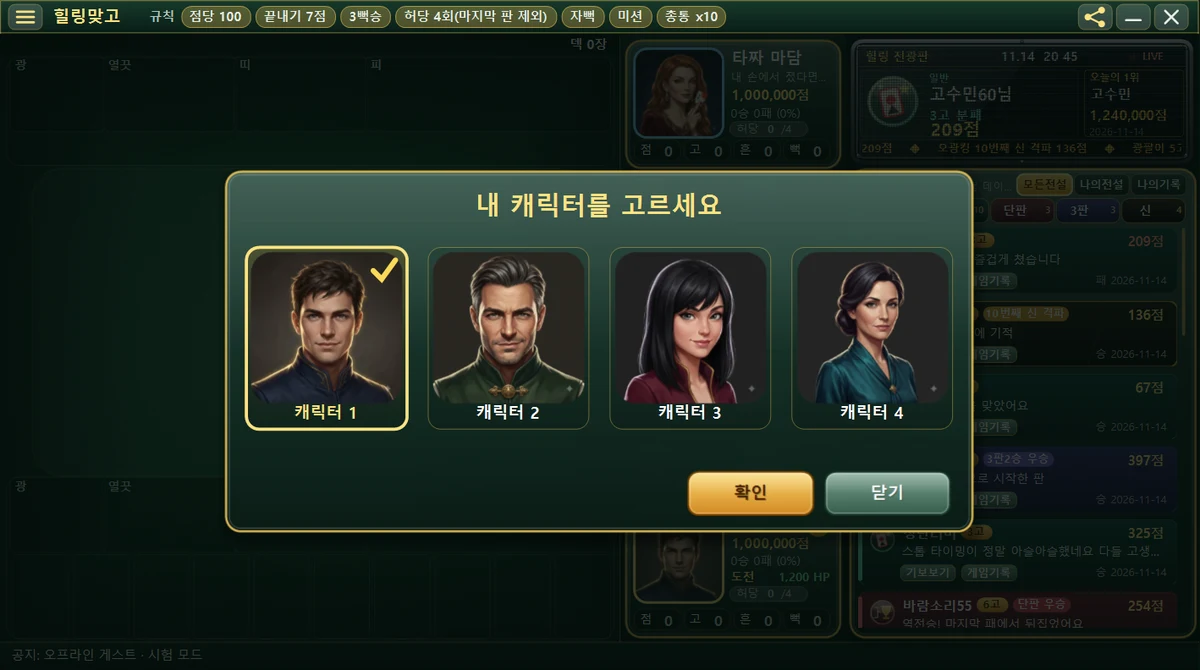
| Name on the selection screen | Internal ID | Look in the picture | Default recommendation |
|---|---|---|---|
| Character 1 | u01 | Short dark brown hair, a navy outfit with a gold pattern on the collar | Young man |
| Character 2 | u02 | Gray-streaked hair and a short beard, a dark green vest with gold trim | Older man |
| Character 3 | u03 | Chin-length black hair, a wine-colored outfit with gold lines | Young woman |
| Character 4 | u04 | Black hair tied low, a teal outfit with a gold brooch | Older woman |
2. Looking at each one
Character 1 (u01)

Short brown hair and a navy outfit with a gold pattern on the collar. Soft light falls on the face against a dark background. This is the character selected by default when you first install the game.
Character 2 (u02)

His hair is swept back with some gray, and he has a short beard. He wears a deep green outfit with gold button-like ornaments. He gives the impression of a refined middle-aged man.
Character 3 (u03)

She has chin-length black hair with bangs, and gold lines run around the collar of her wine-colored outfit. She has a slight smile at the corners of her mouth.
Character 4 (u04)

Her dark hair is tied low at the back, and a small gold brooch sits on the front of her teal outfit. She gives a calm and neat impression.
3. How to choose
- Open “Choose your character” before you start a game (while waiting). You cannot change it while a round is in progress.
- Click the face you like among the 4. The selected one gets a yellow border and a check mark.
- Press the OK button to confirm, or press Close if you do not want to change.
Your selection is saved on this computer for each profile (your name). It stays the same the next time you start.
4. What does the “Recommended” mark mean?
Based on the gender and age group in My info, some characters get a Recommended badge on the selection screen. The criteria are below.
| Age group | Male | Female |
|---|---|---|
| 20s-40s (young) | Character 1 | Character 3 |
| 50s and over (older) | Character 2 | Character 4 |
The recommendation is only a guide and nothing changes automatically. It does not matter at all if a young person picks Character 2 or an older person picks Character 1.
5. Good to know
- Your character has no name and no abilities. Only the picture differs, and the game is exactly the same whichever you choose. The selection screen also shows them simply as “Character 1-4”.
- The voice is tied to the character too. Character 1 has a young man’s voice, 2 an older man’s, 3 a young woman’s and 4 an older woman’s.
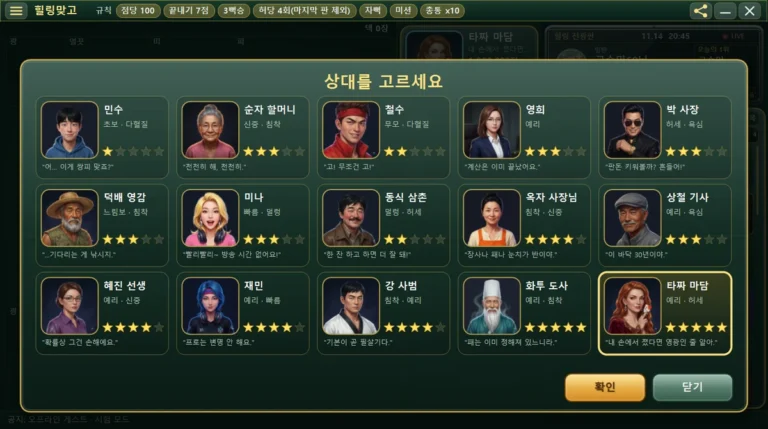
- The opponents you do not choose are a separate matter. You can see all 15 opponents in Introducing the opponents.
- The computer opponent’s voice (gender) is set opposite to yours.
- No character is locked or needs conditions to unlock. All 4 are available from the start.
We could not check the contents of the sound files for this article. Change characters and start a round to hear them yourself.